AiTC
AdvancedintelligentTrafficControl
Air traffic control. Reimagined.
On any screen.
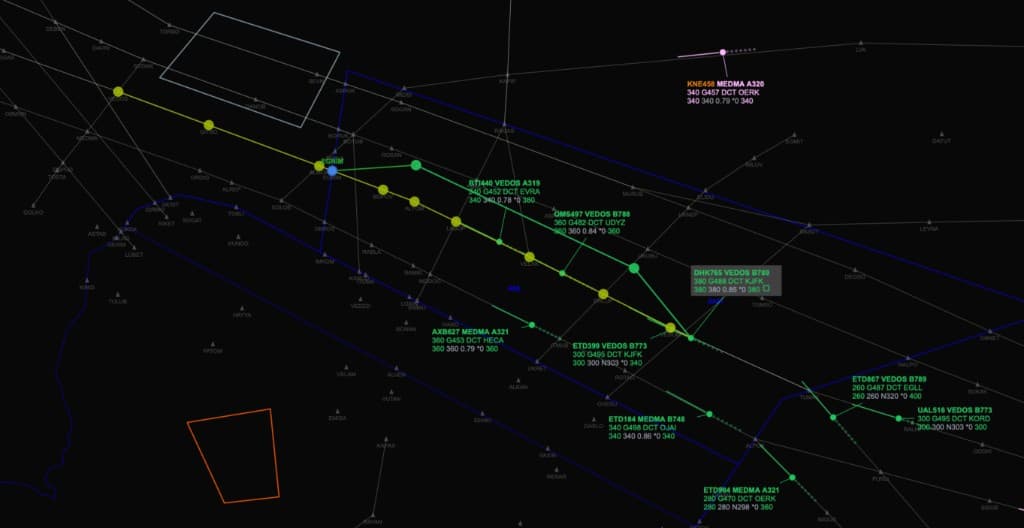
AiTC runs in the browser. The same simulator on an iMac, a MacBook, and an iPad. No install. No special hardware.
One platform.
Every position.
From ground and tower to approach and en-route, AiTC gives students, instructors, and researchers a shared place to run realistic exercises. It stays in the browser, with an AI layer that understands aviation.
Everything the simulation needs.
One platform for the whole job. The interface, the airspace, the exercises, the replay, the voice, and the intelligence.
The simulator.
A human-machine interface that replicates the operational environment of air traffic control.
Airspace.
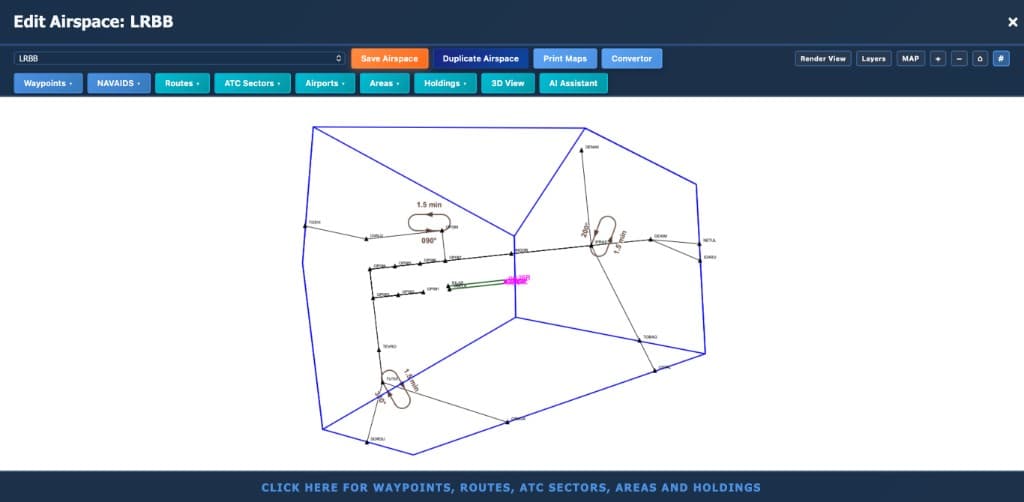
Create airspace in the platform. Bring in aeronautical information publication maps, or maps that already exist in other simulators.
Exercises.
Build an exercise graphically, import aircraft as data, or acquire traffic from ADS-B.
Replay.
No large video files. A log records the exercise and plays it back as a reconstruction of what happened.
Voice.
A voice communication system in the browser. People connect without installing or configuring anything locally.
Intelligence.
AI pilots aircraft, coordinates with neighboring sectors, and scripts emergencies and non-standard communications. It reasons about a trainee's questions, using responses instructors define.
Coming online.
Register to reserve a seat. Early access includes a personal dashboard and priority as new airspace modules go live.